
The fastest way to check your Etisalat data balance is to dial *170# on your phone. It is free, works without internet and shows your remaining data in a few seconds. You can also use the e& UAE app, the Etisalat website or call 101.
Mobile data runs out at the worst times. Your map stops mid-route on Sheikh Zayed Road, a video call drops, or a ride app won’t load when you’re standing outside waiting. And most people have no idea the data is gone until something stops working.
Checking takes under a minute. No app, no login, works on basically any phone here. The other methods show more detail, and each one fits a different situation.
This guide covers all of them. Tourist SIM stuff is in here too, plus why your balance sometimes shows a number that makes no sense. And some tips to stop burning through data so fast.
In this article 15 sections
- 1Etisalat Data Balance Check: Basic Details
- 2What You Need Before You Check
- 3How to Check Etisalat Data Balance With USSD Codes
- 4How to Check Your Balance in the e& UAE App
- 5Check Etisalat Data Balance Online
- 6Check by Customer Care on 101
- 7Which Method Is Best for You
- 8Data Balance on a Tourist SIM
- 9Check Your Roaming Data Balance
- 10Why Your Balance Looks Wrong and Common Delays
- 11How to Top Up or Add More Data
- 12Easy Ways to Save Your Data
- 13Safety Tips Before Checking Your Balance Online
- 14FAQs About Etisalat Data Balance
- 15Final Thoughts
Etisalat Data Balance Check: Basic Details
Here is a quick look at every method before we go deeper:
| Method | Code or Place | Internet Needed | Cost | Best For |
|---|---|---|---|---|
| Data code | *170# | No | Free | A quick data check |
| Prepaid credit code | *121# | No | Free | Prepaid credit |
| Postpaid usage code | *140# | No | Free | Postpaid users |
| e& UAE app | App Store or Google Play | Yes | Free | Full details and alerts |
| Website | My Account page | Yes | Free | Laptop users |
| Customer care | Call 101 | No | Free | When nothing else works |
Use a code or call 101 if your data is already gone. The app and the website both need a connection to open.
What You Need Before You Check
Most methods need very little. Have these ready before you start:
- An active Etisalat (e&) SIM with some network signal
- Your Etisalat mobile number, for the app and the website
- Your Emirates ID number, if you’re calling about a postpaid account
- Wi-Fi or mobile data, but only for the app and the website
How to Check Etisalat Data Balance With USSD Codes
A USSD code is a short number that starts with a star and ends with a hash. It’s the fastest option. No data needed, and it talks straight to the network. Here’s what to do:
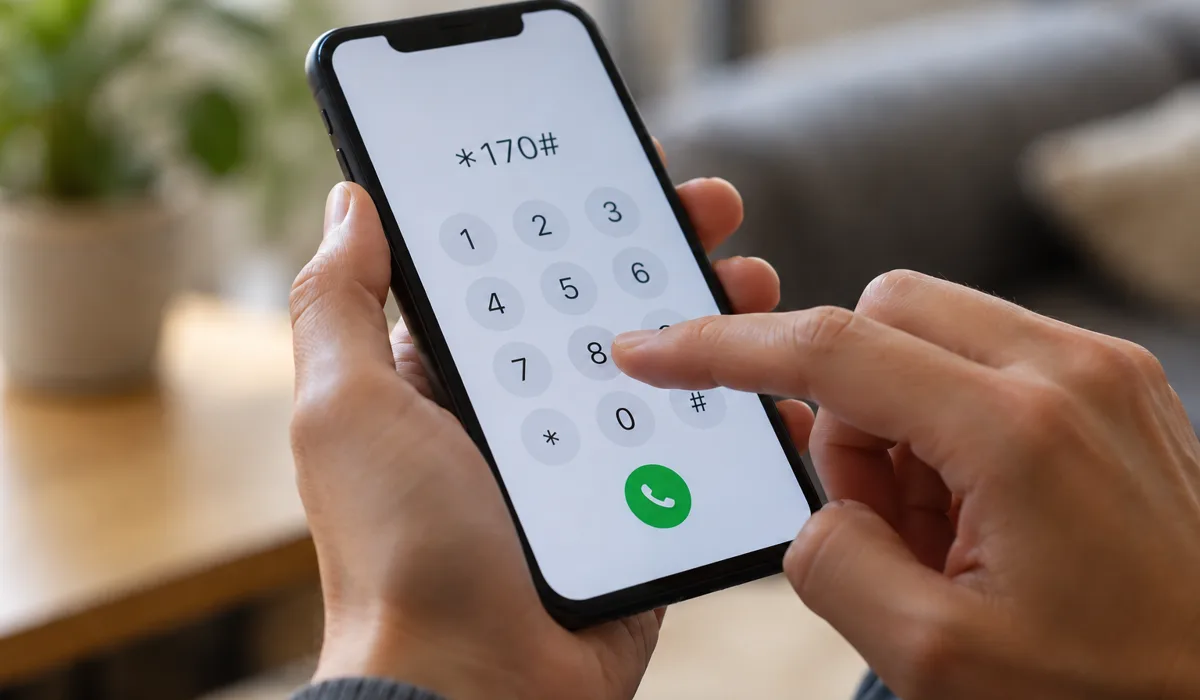
- Open the dialler on your phone.
- Type *170# for data, or the code for your plan from the table above.
- Press the call button.
- Wait a few seconds for the pop-up with your balance.
Prepaid Codes
Dial 170# and you’ll see remaining data plus the expiry date. For credit left on the line, dial 121#. Those are two separate things. A line can have credit but no data, or data with almost no credit left. If you only care about the internet, *170# is enough.
Postpaid Codes
Dial *140# to see usage and what’s left on the plan. Postpaid doesn’t work on loaded credit, so there’s no dirham balance to look at. Just check the usage and allowance figures and compare them against your plan.
If the Code Does Not Work
The pop-up doesn’t always show up. Evenings are the worst for this because everyone’s checking at once. Give it a minute, then dial again. Still nothing? Try the other code for your plan type. Or restart your phone so it grabs a fresh network connection. Failing all that, just use the app instead.
How to Check Your Balance in the e& UAE App
The app puts everything on one screen. Data, minutes, every active bundle, when each one expires. That’s actually a big deal. A code might only show your main bundle, but the app stacks them all together so you get the real number. Here’s how to get set up:
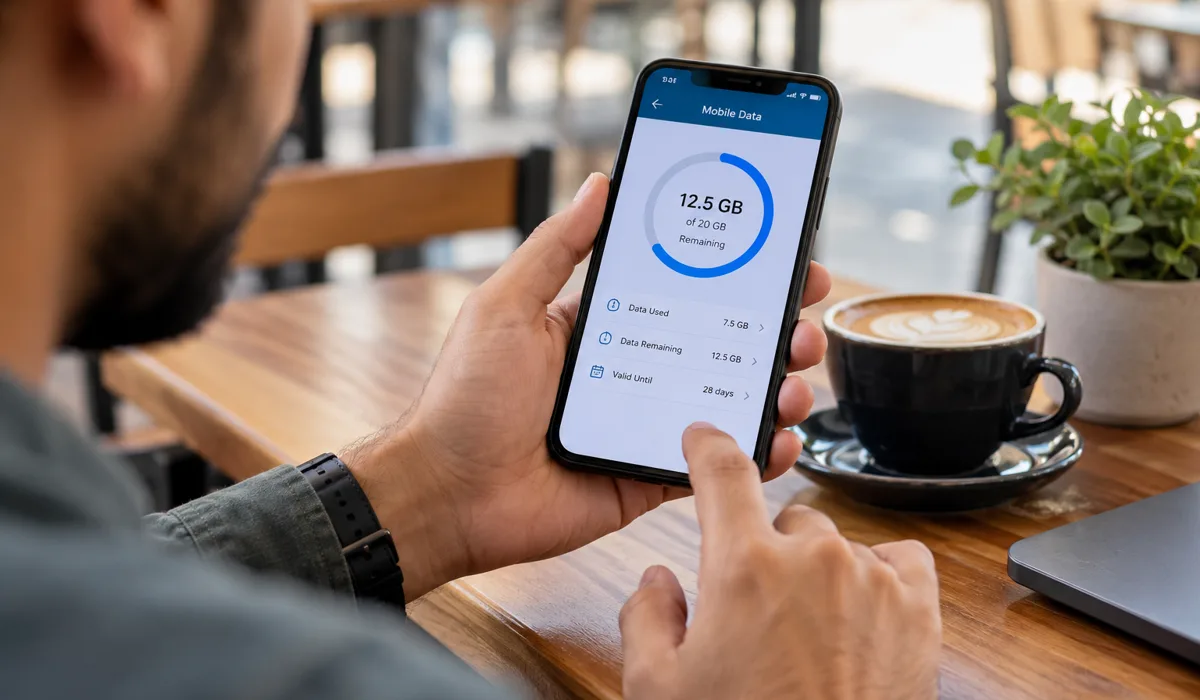
- Grab the e& UAE app from the App Store or Google Play.
- Sign in with your Etisalat number.
- Pop in the OTP that comes through by SMS.
- You’ll see the data card right on the home screen.
- Tap it for your usage history and renewal date.
Set a Data Usage Alert
While you’re in there, switch on a usage alert if your plan supports it. It pings you before your data runs out. Really helpful if you stream stuff on the Metro or lean on Google Maps all day getting around Deira. Takes maybe a minute to set up.
Check Etisalat Data Balance Online
Open the official Etisalat website and go to My Account. Log in with your mobile number or UAE Pass and you’ll find your balance, data usage and renewal dates in one place. Postpaid users get the most out of this one, since you can scroll back through previous months and catch a spike before the bill lands.
Check by Customer Care on 101
Call 101 from your Etisalat number. Free call. An agent will tell you how much data is left and which plan you’re on. For postpaid, they’ll ask you to confirm your identity first, so have your Emirates ID number somewhere close.
Slower than dialling a code, but it’s a solid backup when nothing else is working. And some other websites list SMS shortcuts. Those short codes get changed now and then, so double-check any SMS method on the official Etisalat site before you count on it.
Which Method Is Best for You
Not sure which one to pick? This table lays it out:
| Method | Speed | Internet Needed | Best For |
|---|---|---|---|
| USSD code | Seconds | No | A quick check with no data left |
| e& UAE app | Under a minute | Yes | Full details and alerts |
| Website | Under a minute | Yes | Laptop users and postpaid bills |
| Call 101 | A few minutes | No | When nothing else works |
Data Balance on a Tourist SIM
Tourist SIMs from Etisalat use the same codes as regular prepaid lines. So just dial *170# first. If you want more detail, grab the app and log in using the hotel Wi-Fi or the free airport connection. Check your balance straight away on day one. You’ll get a feel for how long the data will actually last before you start firing up maps and calling taxis.
Check Your Roaming Data Balance
Roaming data plays by different rules than your normal bundle. Don’t just assume it carries over the same way. Check your roaming allowance in the app before you leave the country, and read the terms for wherever you’re going. Roaming rates can be high. No roaming pack? Switch off data roaming in your phone settings. Just use Wi-Fi instead.
Why Your Balance Looks Wrong and Common Delays
Sometimes the number on screen just looks… off. Usually there’s a boring explanation, and fixing it takes about two minutes. Here are the usual culprits:
- A bundle expired. The leftover data disappears on the end date, so check the validity in the app.
- Background apps used data overnight. Go into your phone settings, look at app usage, and rein in the greedy ones (WhatsApp backups are a common one).
- A recharge hasn’t come through yet. Give it a few minutes. Then dial the code again.
- You’ve got more than one bundle active. The code might only show one of them. The app gives the real total.
- You used the wrong plan code. Prepaid and postpaid lines use different codes.
- Network congestion. Evenings are rough for this. Try again a bit later.
If it still looks wrong after all that, open the usage history in the app. It shows exactly where the data went.
How to Top Up or Add More Data
When your data is low, the easiest way to add more is through the e& UAE app. Here’s what to do:
- Open the app and sign in.
- Go to recharge or add-ons.
- Pick the amount or data pack you want.
- Pay and wait for the confirmation message.
Recharge cards work too, and so do authorised stores (there’s one in basically every mall). But before you grab a small add-on, look at what a monthly plan costs. Sometimes a bigger bundle works out cheaper than topping up every week. Do the maths first.
Easy Ways to Save Your Data
A couple of changes go a long way. Turn on Wi-Fi at home and at the office. Kill video auto-play in Instagram and TikTok (those two eat data like crazy). And download your maps and playlists over Wi-Fi before you walk out the door. That helps most on your commute, and our Dubai Metro timings guide is worth a look when you plan a trip across the city.
Going to spend a full day at the mall? Signal gets patchy in big crowded buildings, so check your balance before you head out. Our guide to Dubai Mall opening hours helps you plan the visit. If you use another network, our du balance check guide covers that one too.
Safety Tips Before Checking Your Balance Online
Follow these simple rules to stay safe:
- Use only the official e& UAE app, the official website and the codes in this guide
- Ignore SMS messages or links that promise free data
- Don’t share your OTP with anyone. Not even if someone on the phone says they’re from Etisalat. They’re not.
- Something seem off? Just hang up. Call 101 yourself from your own phone.
FAQs About Etisalat Data Balance
How can I check my Etisalat data balance without internet? Just dial *170# from your Etisalat SIM. Works without Wi-Fi or mobile data. That’s the whole point of it.
Is checking my Etisalat balance free? Yes. The codes and calling 101 are all free for Etisalat customers in the UAE.
What is the difference between 121# and 170#? So 121# shows the dirham credit on a prepaid line. And 170# shows your remaining data. Two different things.
Can a tourist SIM use the same codes? Yes. Tourist SIMs are basically prepaid lines, so the same codes work.
Why does my balance look different in the app? Because the app totals up every active bundle. A code might only pull up the main one, so the numbers won’t match.
Final Thoughts
For a fast check, just dial *170#. The e& UAE app is better if you want the full picture, and you can set an alert there so you don’t get caught off guard.
Running low all the time? Look at your plan every few months. Bumping up to a bigger bundle usually costs less than buying top-ups over and over. And you won’t end up staring at a loading screen when your ride app won’t open.