

To do a du balance check, dial *135# on your phone and choose Balance for your credit or Data for your internet. It is free and works without internet. You can also use the du app, the du website or call 155.
So you’re about to make a call or tap to pay for a ride, and you realise you have no idea what’s left on your du line. A low balance tends to reveal itself at the worst time, like when a call drops mid-sentence or a payment bounces at the petrol station.
The good thing? Checking takes roughly ten seconds. The quick method doesn’t need an app and it runs on any phone. Where it gets confusing is that prepaid and postpaid lines show completely different things. A lot of people don’t realise that and end up thinking something is broken.
This guide covers every simple way to check your du balance and your data. You’ll also see what to do on a tourist SIM, why the number sometimes looks wrong, and how to make your credit last longer.
In this article 17 sections
- 1du Balance Check: Basic Details
- 2What You Need Before You Check
- 3How to Do a du Balance Check With *135#
- 4Prepaid vs Postpaid: What You Will See
- 5du Data Balance Check
- 6How to Check Your du Balance in the du App
- 7Check du Balance Online
- 8Check by SMS or Call 155
- 9Which Method Is Best for You
- 10du Balance on a Tourist SIM or Data Card
- 11Check Your Roaming Balance
- 12Why Your Balance Looks Wrong and Common Delays
- 13How to Recharge or Add Data
- 14Easy Ways to Make Your Credit Last
- 15Safety Tips Before Checking Your Balance Online
- 16FAQs About du Balance Check
- 17Final Thoughts
du Balance Check: Basic Details
Before we get into the details, here’s a summary of each method:
| Method | Code or Place | Internet Needed | Cost | Best For |
|---|---|---|---|---|
| USSD menu | *135# | No | Free | A quick check of credit or data |
| du app | App Store or Google Play | Yes | Free | Full details in one place |
| Website | My Account page | Yes | Free | Laptop users and bills |
| SMS | Check the keyword on du.ae | No | Check first | A backup when the menu is slow |
| Customer care | Call 155 | No | Free | When nothing else works |
Just go with whatever works for your situation right now. Already burned through your data? Stick with the code or call 155, because the app and website both need an internet connection to load.
What You Need Before You Check
You don’t need much for most of these methods. Just have a few things sorted before you start:
- An active du SIM with some network signal
- Your du mobile number, for the app and the website
- Your Emirates ID number, if you’re calling about a postpaid account
- Wi-Fi or mobile data, but only for the app and the website
How to Do a du Balance Check With *135#
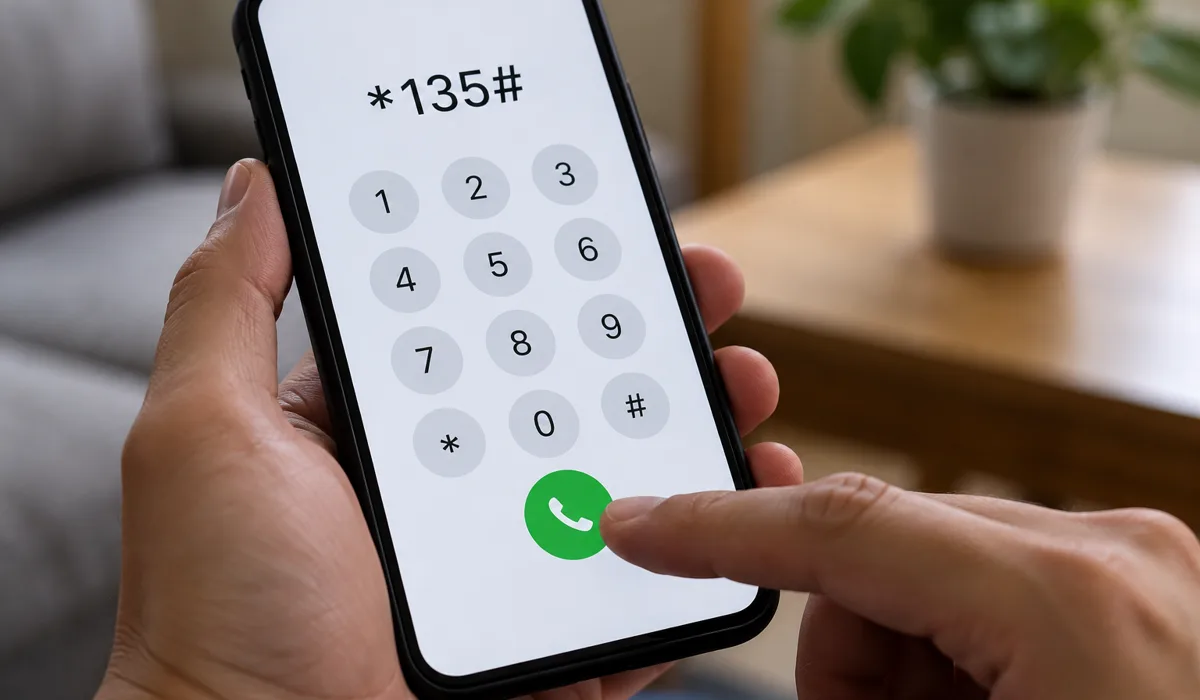
The *135# code opens du’s self-service menu. No internet required, and it runs on basically any phone. Here’s what to do:
- Go to your phone’s dialler (the thing you use to type phone numbers).
- Punch in *135# and hit call.
- A menu pops up on screen. Read through it.
- Choose Balance for your credit, or Data for your internet.
- Wait a few seconds for the result on screen.
Menu Options Explained
The wording can vary slightly depending on your handset or plan, so actually read what’s on screen before tapping anything. Here’s what usually shows up:
| Option | What It Shows | Best For |
|---|---|---|
| Balance | Main account credit | Prepaid users |
| Data | Remaining data allowance | Anyone checking internet |
| Account details | Charges and due date | Postpaid users |
If the Menu Does Not Load
The menu can drag, especially around 9 or 10pm when everyone’s on the network. Give it a minute, then try dialling again. Still nothing? Try switching your phone off and back on to reset the connection. Or just open the app or ring 155.
Prepaid vs Postpaid: What You Will See
This trips up more people than anything else. Prepaid and postpaid work in completely opposite directions, so the exact same check gives you a totally different answer depending on your plan type.
Prepaid Lines
A prepaid line runs on credit you’ve loaded. You’ll see a dirham amount that goes down as you use the line. When it gets low, it’s time to recharge.
Postpaid Lines
A postpaid line works the other way round. It shows what you owe this billing cycle, not what’s left. So if you don’t see a credit figure, nothing is broken. Look for the current charges and the bill due date instead.
du Data Balance Check
Credit and data are two separate numbers. You can have plenty of credit and no data, or the other way round. When you dial *135#, pick the Data option to see how much internet you have left and when it ends. Choose Balance only when you want to know your credit.
How to Check Your du Balance in the du App
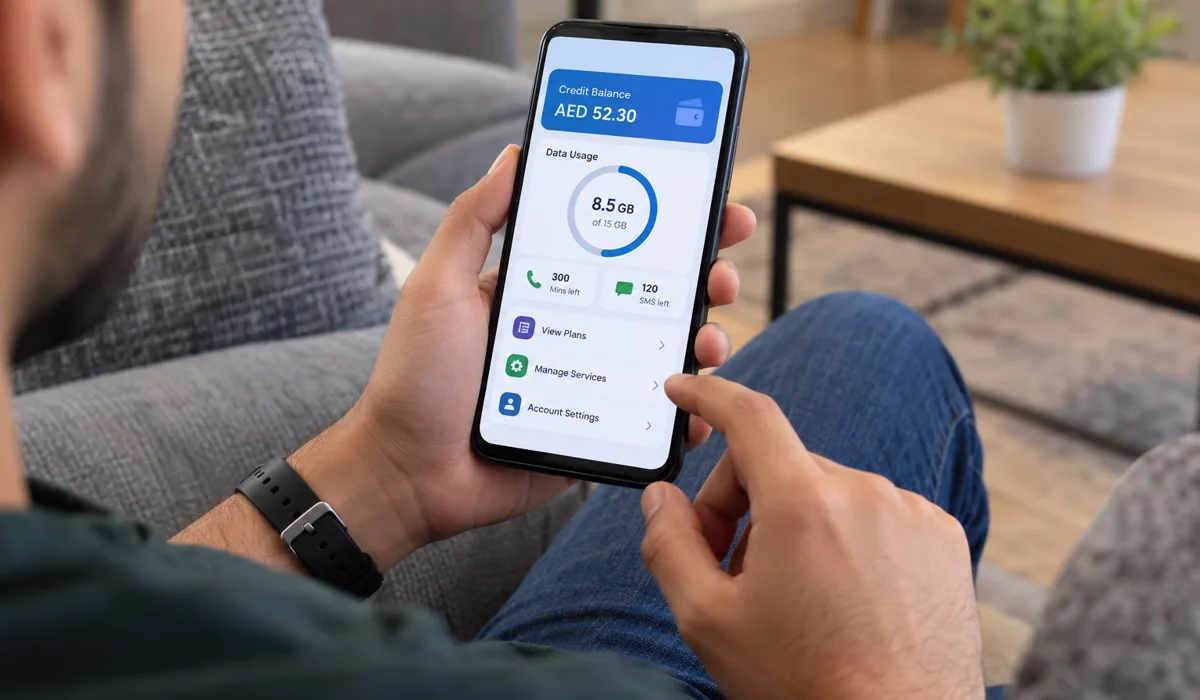
The du app gives the clearest view. Credit, data, plan info, all on one screen. Here’s how to get going:
- Download the du app from the App Store or Google Play.
- Log in with your du number.
- They’ll send you a code. Punch it in.
- Open the home screen and find your balance and usage.
- Tap the data section to see what’s left and the renewal date.
What Else the App Shows
The app does more than show a number. These are the things you can do from the same screen:
- Recharge your line
- Buy extra data
- Check your bill and the due date
- Manage your plan
Check du Balance Online
If you’re on a laptop, go to the official du website and open My Account. Log in with your du details and you’ll see your balance, active bundles and usage history. Postpaid users can also check the bill here before it’s due, which helps you spot an unusual charge early.
Check by SMS or Call 155
You can call 155 from your du number. They’ll tell you your balance, what plan you’re on and any charges that haven’t posted yet. Postpaid account? Have your Emirates ID number handy because the agent will probably ask for it to confirm who you are.
Some websites mention an SMS method. The number and keyword differ from one source to another, so check the current SMS option on the official du website before you use it.
Which Method Is Best for You
Not sure which one to choose? This table puts the options side by side:
| Method | Speed | Internet Needed | Best For |
|---|---|---|---|
| *135# menu | Seconds | No | A quick check |
| du app | Under a minute | Yes | Full details and recharge |
| Website | Under a minute | Yes | Laptop users and bills |
| Call 155 | A few minutes | No | When nothing else works |
du Balance on a Tourist SIM or Data Card
Got a tourist SIM from du? It’s just a regular prepaid line, so *135# works exactly the same way. For a fuller breakdown, grab the app and hop on the hotel or airport Wi-Fi to log in. Do a balance check on day one so you actually know how far your data will stretch (a lot of visitors burn through it posting videos from JBR on the first evening). And if you’ve got a du data card instead, use the app or call 155 and have the card details in front of you.
Check Your Roaming Balance
When you travel abroad with your du SIM, roaming usually has its own allowance. Open the app and look at your roaming balance before you fly out. Read the roaming terms for the country you’re heading to as well. Roaming rates can be high. No roaming pack? Switch off data roaming in your phone settings and just stick to Wi-Fi.
Why Your Balance Looks Wrong and Common Delays
Sometimes the number on your screen doesn’t match what you expect. Usually it’s something straightforward. Here are the usual culprits:
- You picked the wrong option. Credit and data are separate, so go back and choose the other one.
- A recharge hasn’t posted yet. Give it a few minutes, then look again.
- A bundle ended. Unused data disappears on the end date, so check the validity in the app.
- It’s a postpaid line. It shows what you owe, not credit left.
- The network is busy. Peak hours (especially evenings) slow things down. Try a bit later.
Still not matching up? Open the app and check your recent usage for anything unexpected. And if you’re still confused after that, just call 155 and get them to go through the account with you.
How to Recharge or Add Data
Running low on credit or data? Fastest fix is through the app. Here’s what to do:
- Open the du app, log in.
- Choose recharge or add data.
- Pick the amount or pack.
- Pay and wait for the confirmation message.
You can also recharge with a card or at an authorised store. Compare the price of an add-on with a bigger plan first, because a larger monthly plan can cost less than many small top-ups.
Easy Ways to Make Your Credit Last
Little changes go a long way. Get on Wi-Fi whenever you’re home or at the office. Turn off auto-play for videos in Instagram and TikTok (those eat data fast). Grab your Google Maps offline before heading out, especially if you’re driving somewhere like Al Ain or Hatta for the day.
Heading to the mall? Our Dubai Mall opening hours guide helps you plan the visit, and a quick check before you leave means you won’t run out on the way. If you use another network, our guide to checking your Etisalat data balance covers that one too.
Safety Tips Before Checking Your Balance Online
Follow these simple rules to stay safe:
- Use only the official du app, the official website and the codes in this guide
- Ignore SMS messages or links that promise free credit
- Never share your verification code with anyone
- If something feels wrong, hang up and call 155 yourself
FAQs About du Balance Check
How can I check my du balance without internet? Dial *135# and choose Balance or Data. The code works without Wi-Fi or mobile data.
Is a du balance check free? Yes. The *135# menu and the call to 155 are free for du customers in the UAE.
What is the difference between Balance and Data? Balance is your credit, while Data is your remaining internet allowance.
Why does my postpaid line show no balance? Postpaid doesn’t show credit. It shows how much you owe so far this cycle, plus when the bill is due.
Can a tourist SIM use the same code? Yep. Tourist SIMs are just prepaid lines, so *135# works fine.
Final Thoughts
A du balance check takes about ten seconds. For a quick look, dial *135# and choose Balance or Data. For everything in one place, use the du app.
Remember that a postpaid line shows what you owe, not what’s left, so don’t worry if you don’t see a credit figure. And if the numbers still look odd, a call to 155 clears it up quickly.